FeatureImprovementFix
Projects as workspace, landing page, in-app feedback, and share page
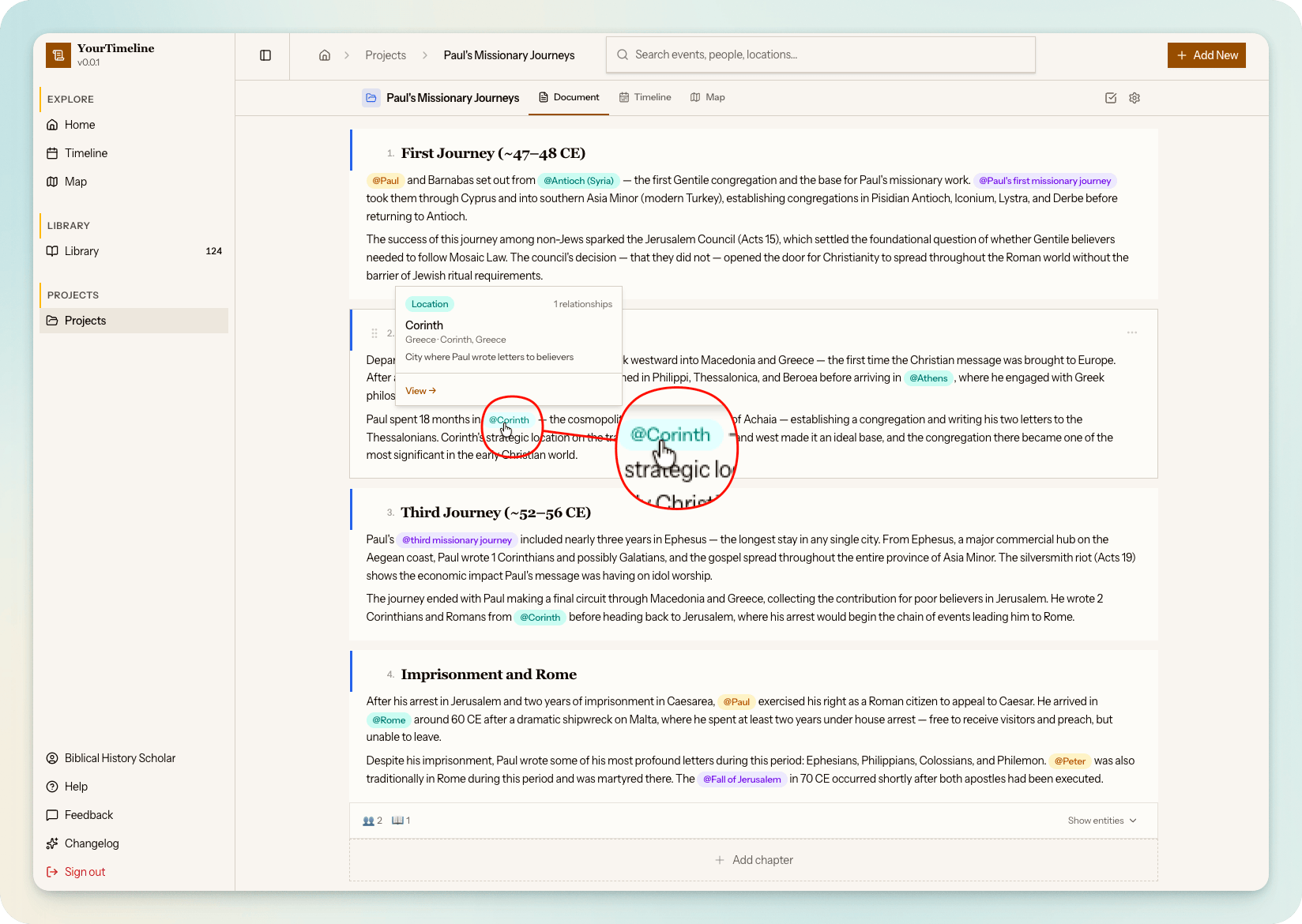
A major update that redefines projects as the central research workspace and opens the app to new visitors with a public landing page.
Features
- Projects as workspace — timelines are no longer standalone; every project now owns a rich-text editor with chapters, an auto-generated timeline derived from @mentions, and a map tab, all in a unified three-tab interface.
- Block editor with @mentions — chapters use a Tiptap rich-text editor with headings, lists, and inline @mention chips for linking entities (people, events, locations, verses, artifacts) directly into the narrative.
- Mention popovers — hover or tap any @mention chip to preview entity details without leaving the document. Verse mentions include a direct link to the Watchtower Online Library.
- Per-chapter entity panels — each chapter card has a collapsible panel showing referenced people (with project-scoped relationships), verses (grouped by Bible book with external read links), and artifacts (with provenance details).
- Public landing page — unauthenticated visitors see a marketing page at the root URL with a cartographic hero, feature highlights, device mockups, how-it-works steps, and a sign-up call to action.
- In-app feedback — report bugs, request features, or leave comments without leaving the app. Submissions create GitHub issues with auto-attached metadata (user ID, current page, app version, browser/OS).
- Public project sharing — share any project via a public link. Anonymous visitors can read the document, browse the timeline, explore the map, and open entity detail blades for mentioned entities.
Improvements
- Sticky project tab bar — the Document, Timeline, and Map tabs stay visible while scrolling, with icon+label tabs and a bottom-border active indicator.
- Mobile project UX — a floating action button for adding chapters without scrolling, and swipe between tabs on mobile.
- Project settings drawer — inline settings drawer replaces the old dedicated edit page, with accent colour picker, share toggle, and danger zone.
- App renamed to YourTimeline — the application name has been updated across all user-facing surfaces.
Fixes
- Share page data loading — public share pages now correctly hydrate entity data for mention chips, timeline items, and map pins. Previously, anonymous visitors saw empty content due to missing row-level security policies and uninitialized client-side stores.